← Back to Projects
NorLanka Transport Management System & Driver App
NorLanka Transport Management System & Driver App preview

Mobile App + Transport Management System

NorLanka Transport Management System & Driver App

A complete transport management system for NorLanka: a GPS driver-tracking app and a web-based system that plan company trips, calculate distance and costs, handle employee trip requests and approvals, and generate reports on every journey.

Timeline

16 Weeks

Stack

Mobile App, Web Transport Management System, GPS Tracking, Google Maps

Outcome

Full visibility of company trips, distances and transport costs

Project Overview

NorLanka runs regular company trips, from airport pickups to office and site transport, using its own fleet of vehicles and drivers. Managing these trips by phone and message made it hard to know whether a trip had really started, how far the vehicle travelled, and what each journey actually cost the business.

FSGRID built the NorLanka Transport Management System to bring all of this into one place. It has two connected parts: a mobile app for drivers, which tracks each trip by GPS from start to finish, and a web platform, where the transport team plans trips, manages the fleet and staff, approves requests and reviews costs.

Employees can also log in to the system with their own account and request the trips they need, choosing the reason, dates, pickup point, destinations and travel partners. Admins review and approve these requests, then create trips and assign a driver and vehicle. The driver sees the trip in the app, starts it, and the system records the journey and compares the suggested distance and cost with the actual figures.
Challenge

Company transport was being planned informally. There was no reliable record of when trips started and ended, no consistent way to calculate distance-based costs (including the extra distance from the vehicle's base to the pickup point), and employee trip requests arrived through calls and messages. Producing reports on past trips and transport spending took time and was hard to keep accurate.

Solution

FSGRID delivered a driver tracking app and a full web-based transport management system. Trips are planned on Google Maps with suggested routes, distances and costs calculated from a per-kilometre rate. Drivers start and end trips in the app with live GPS tracking, while the transport management system handles employee requests and approvals, fleet, driver and employee management, suggested vs actual cost and profit/loss, urgent trips, CSV exports and reports.

Key Features

  • Driver app with secure login by phone number or NIC, showing assigned trips, vehicle, schedule and suggested distance.
  • One-tap Start Trip begins GPS tracking, so every journey has an accurate start, end and recorded distance.
  • Route planning on Google Maps with pickup, multiple destinations, stops, road distance and estimated duration.
  • Automatic cost calculation from a per-km rate, including extra distance from base to pickup and back, with suggested vs actual cost and profit/loss.
  • Employee self-service trip requests with reason, dates, pickup, destinations, end location and travel partners, plus an approvals workflow.
  • Dashboard with fleet stats, completion rate and vehicle utilisation, plus trip filters, CSV export, urgent trips and reports on past trips.

Product 01 · Driver Tracking App

Every trip tracked from start to finish

The mobile app is built for drivers on the road. It shows exactly which trips they have been assigned, where to go, and how far the journey should be, and it tracks the trip by GPS from the moment they tap Start Trip.

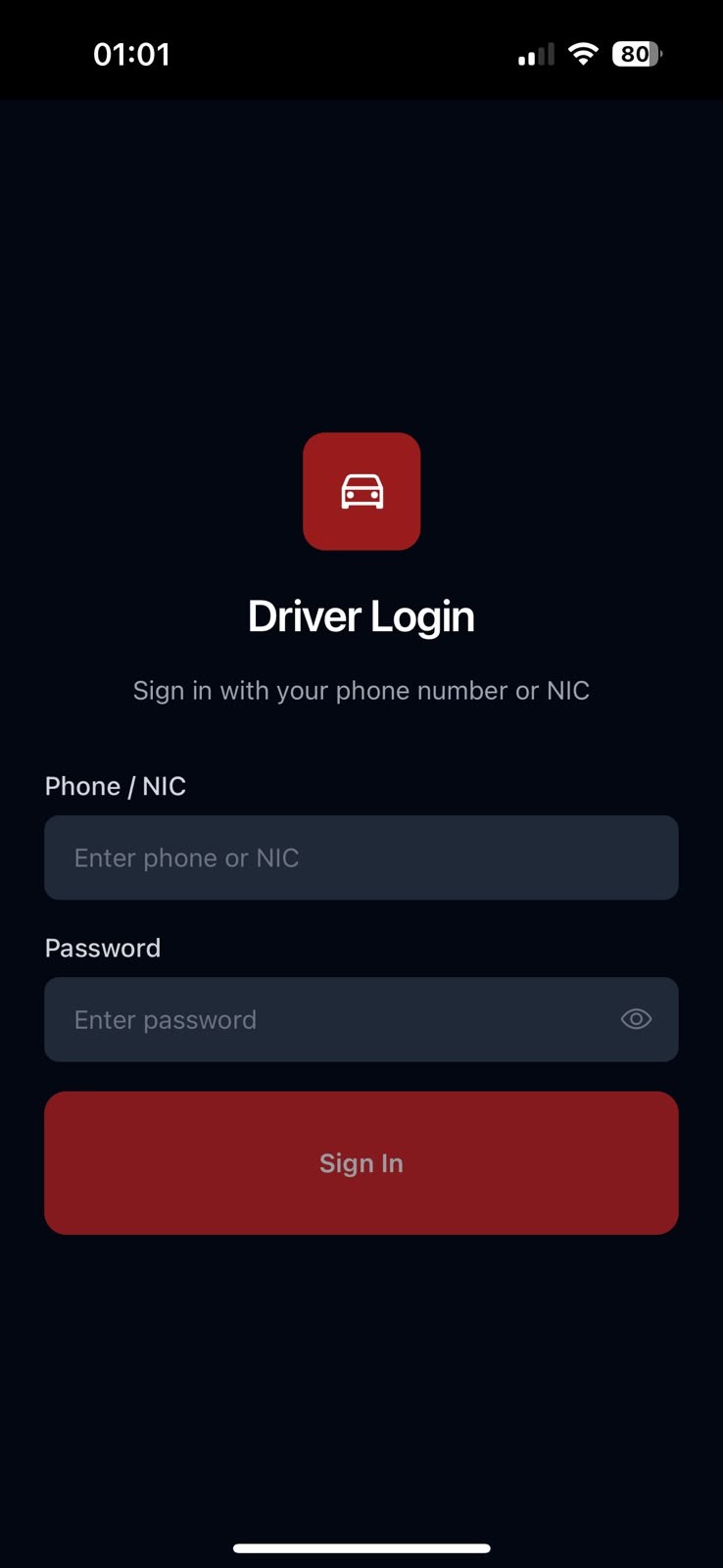
Driver login with phone or NIC

Drivers sign in with their phone number or National Identity Card number and a password, so only registered drivers can access trips.

Personal trip overview

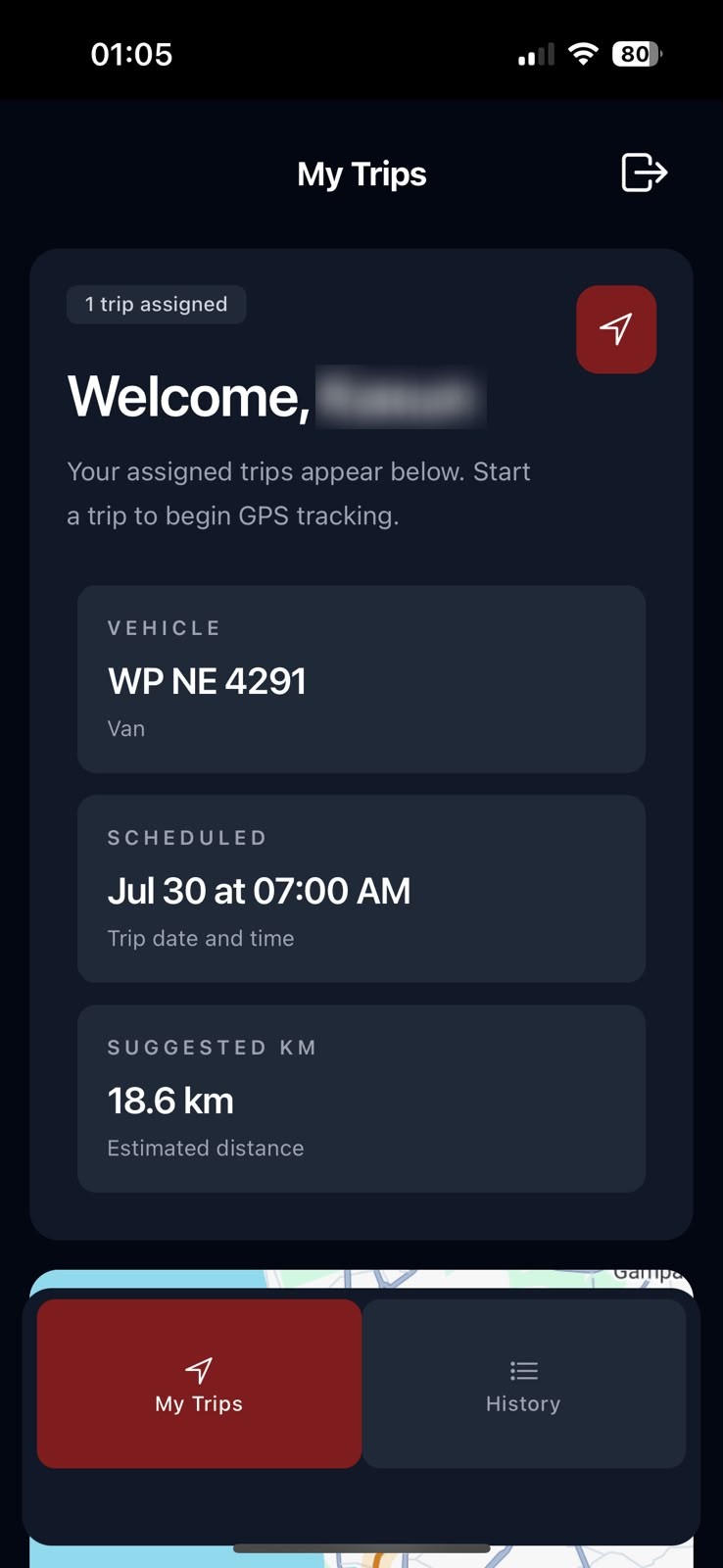
A welcome screen shows how many trips are assigned, the vehicle registration and type, the scheduled date and time, and the suggested distance for the next trip.

Start trip and GPS tracking

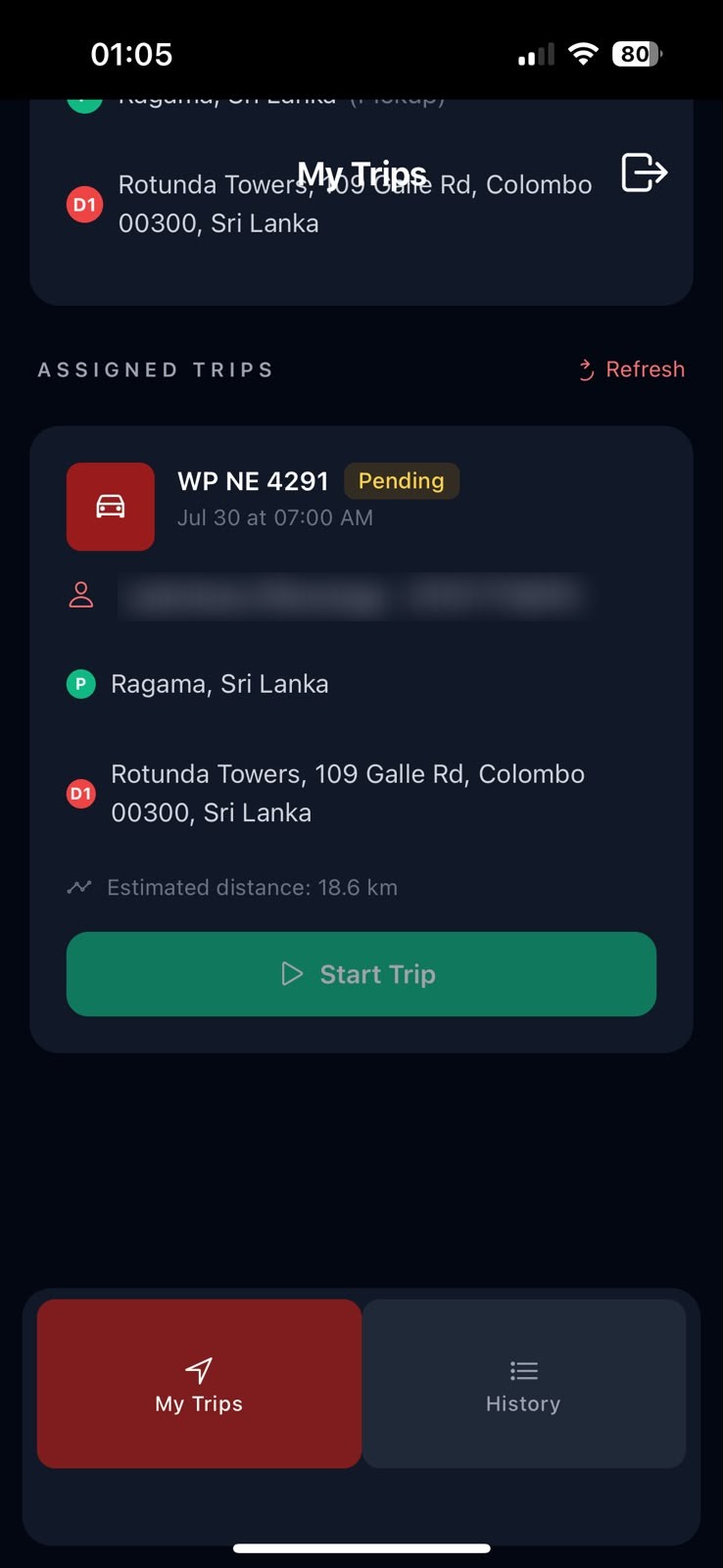
Each assigned trip card shows the vehicle, status, contact person, pickup and destination, and estimated distance. Tapping Start Trip begins live GPS tracking until the driver ends the trip.

Suggested route on the map

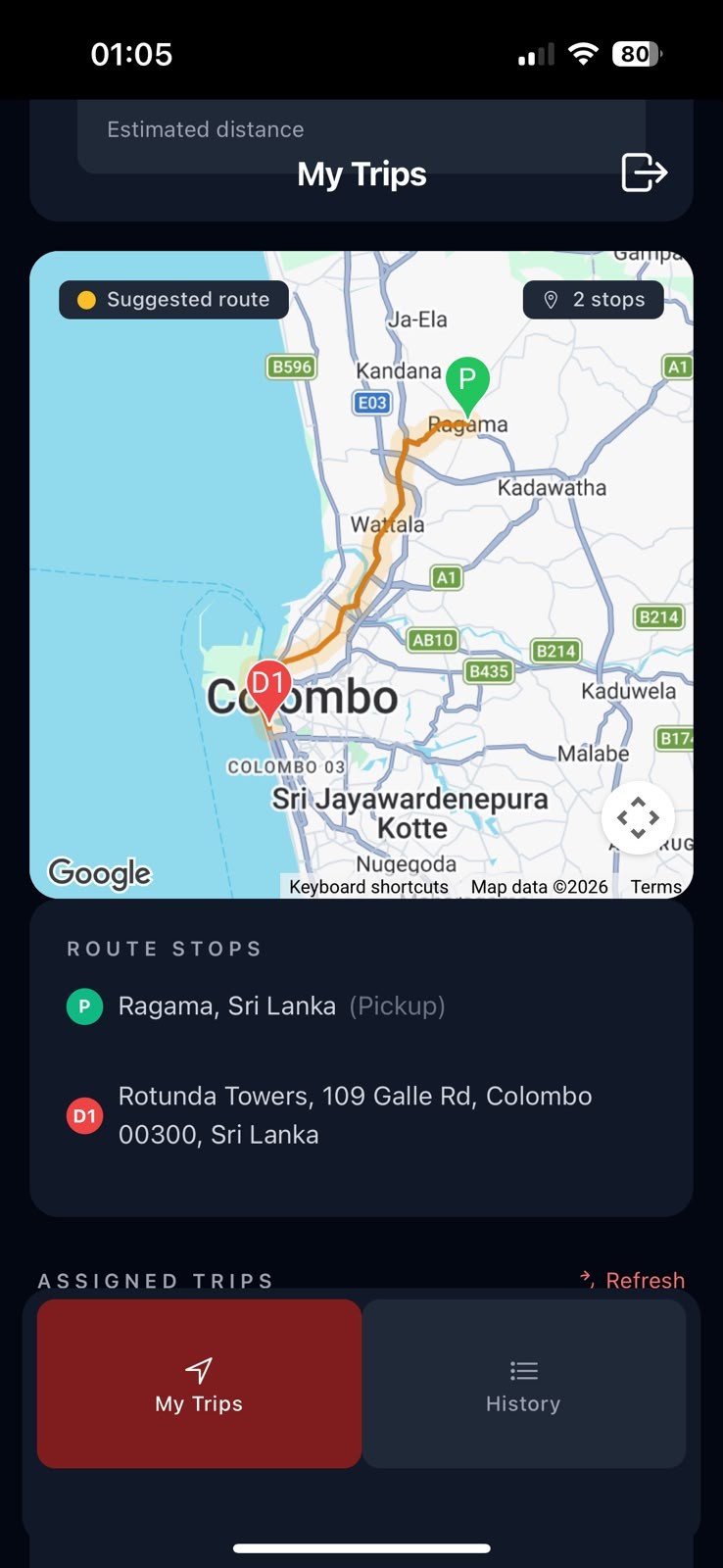
A Google Maps view shows the suggested route with numbered stops, from the pickup (P) to each destination (D1, D2…), so drivers know exactly where to go.

Trip history

A History tab gives drivers a record of their past trips, alongside the My Trips tab for current assignments, with a quick refresh to load new trips.

Built for use while working

A dark, high-contrast interface with large buttons keeps the app easy to read and use in a vehicle, day or night.

NorLanka Transport Management System & Driver App – Driver login with phone or NIC
Driver login with phone or NIC
NorLanka Transport Management System & Driver App – Assigned trip overview
Assigned trip overview
NorLanka Transport Management System & Driver App – Assigned trip with Start Trip
Assigned trip with Start Trip
NorLanka Transport Management System & Driver App – Suggested route and stops
Suggested route and stops

Product 02 · Transport Management System

Plan, approve, cost and report on every trip

The web system is the control centre of NorLanka transport. The transport team uses it to manage the fleet, drivers and employees, turn trip requests into scheduled trips, and see exactly what transport is costing the company.

Fleet overview dashboard

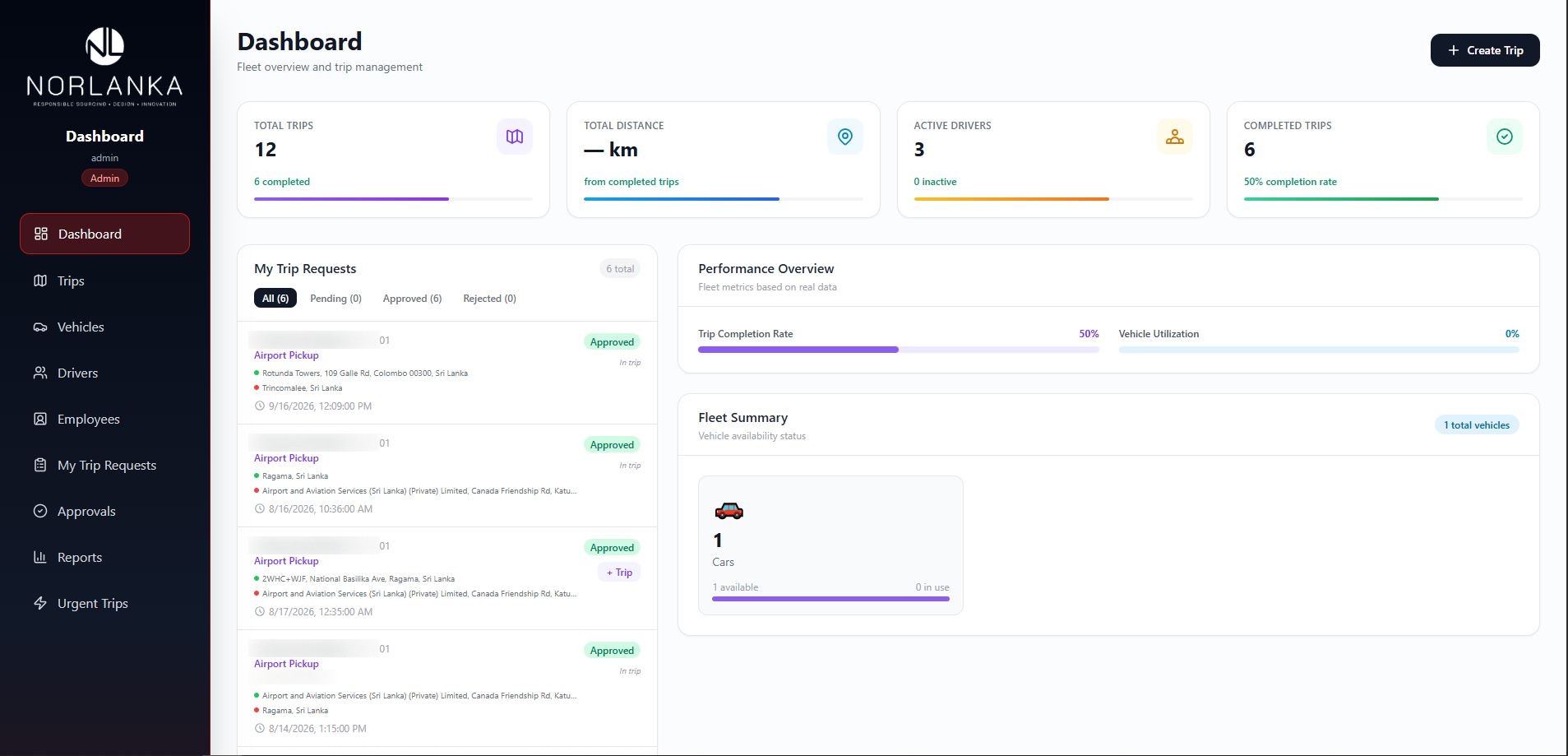
Live stats for total trips, total distance from completed trips, active drivers and completed trips, plus trip completion rate, vehicle utilisation, a fleet summary and the latest trip requests.

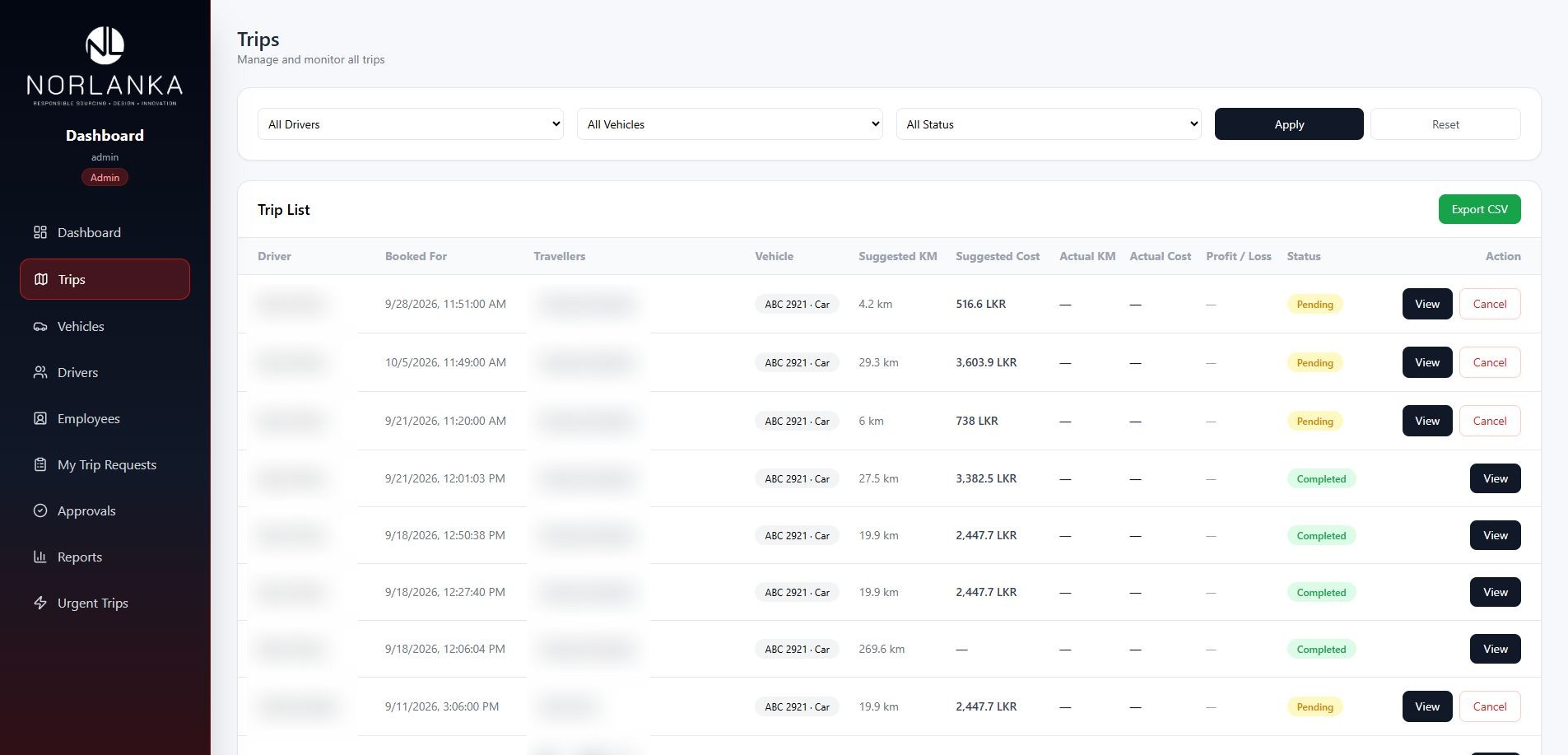
Trip list with suggested vs actual figures

Every trip shows the driver, booking time, travellers, vehicle, suggested KM and cost, actual KM and cost, profit or loss and status. Trips can be filtered by driver, vehicle and status, and exported to CSV.

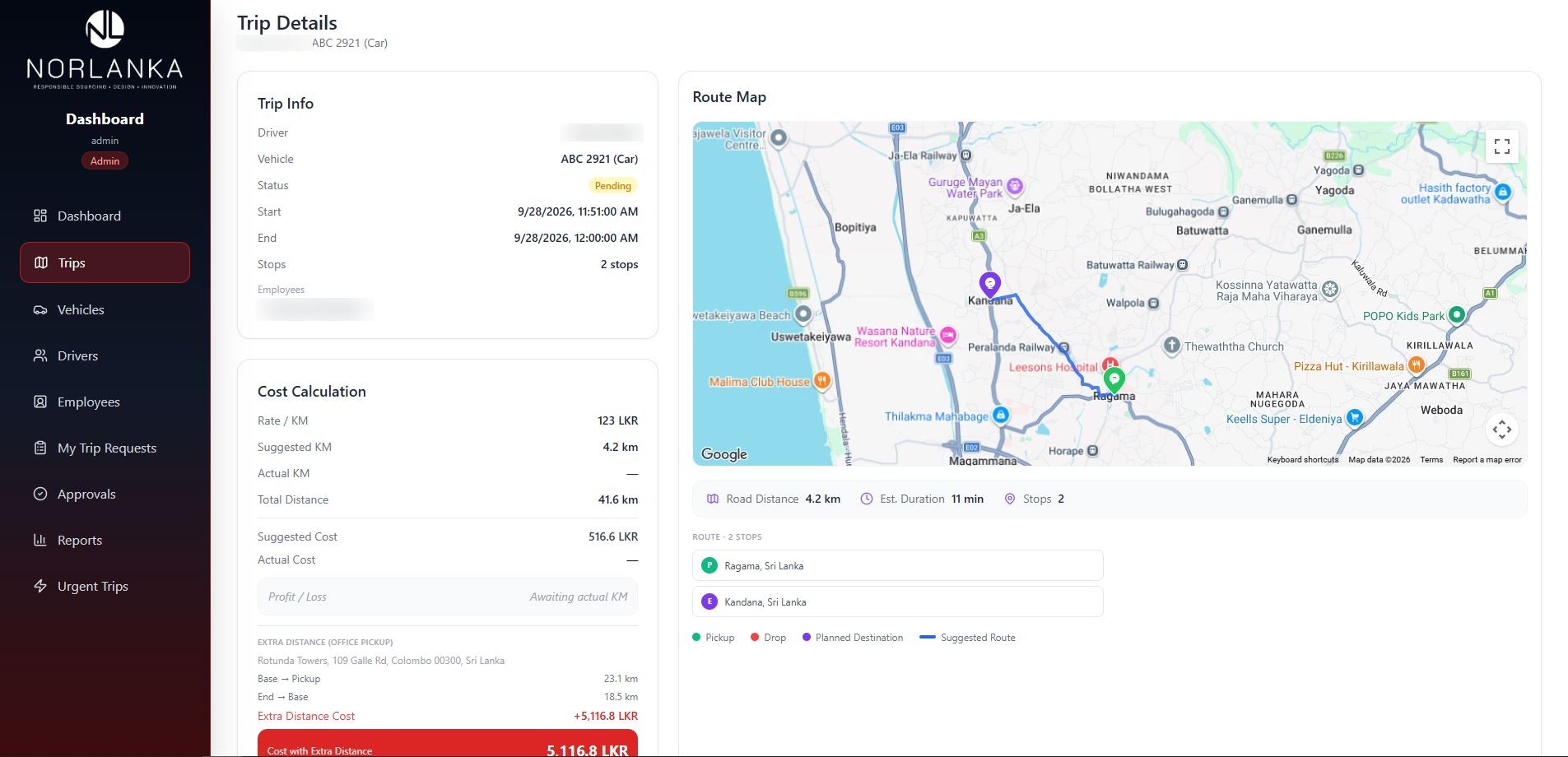
Detailed cost calculation

Each trip calculates cost from the rate per kilometre, including extra distance from the office base to the pickup and back, so the true cost of every journey is clear.

Route map for every trip

Trip details include a Google Maps route with pickup, drop and planned destinations, road distance, estimated duration and the full list of stops.

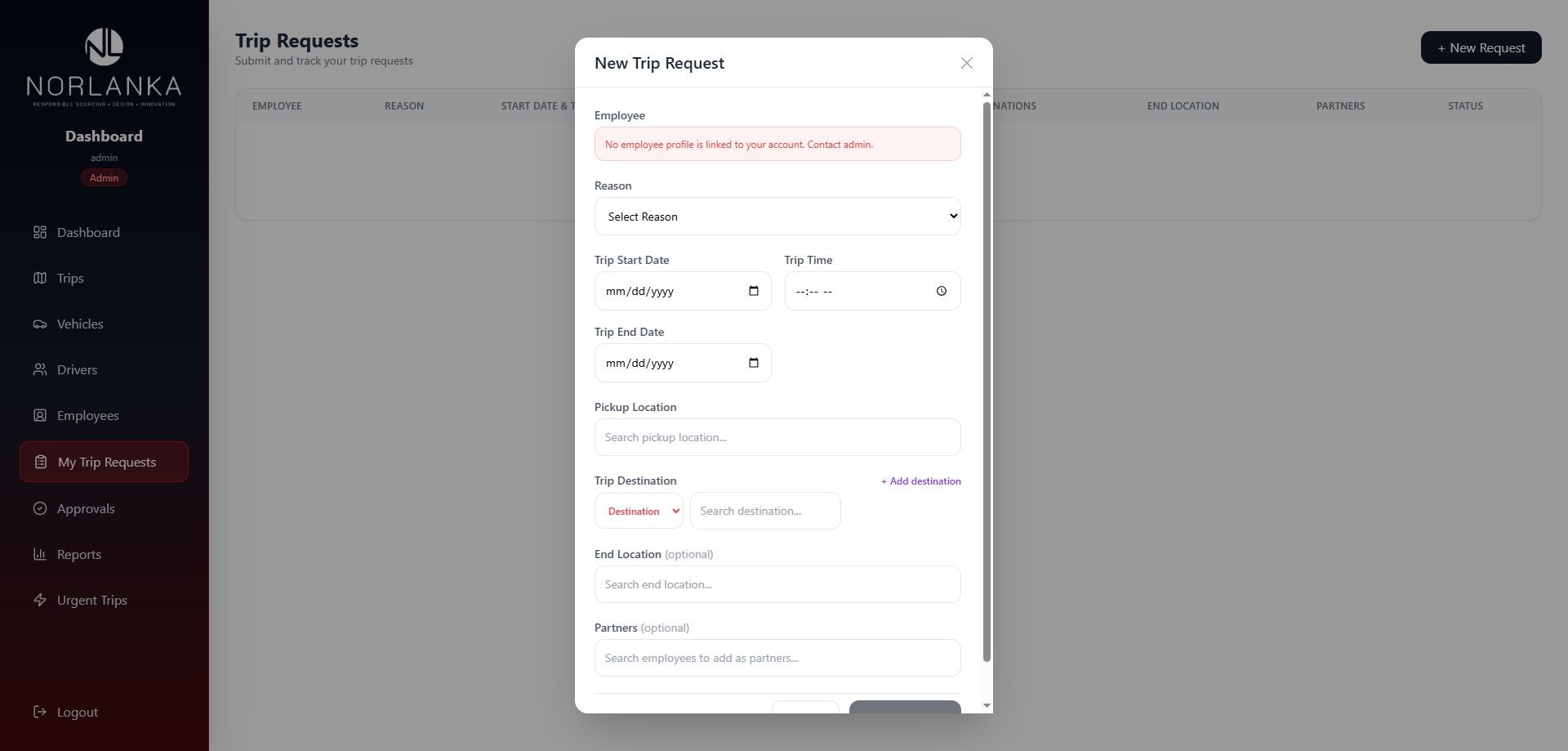
Employee trip requests and approvals

Employees submit requests with a reason, start and end dates, time, pickup location, one or more destinations, an optional end location and travel partners. Admins review them under Approvals and create trips from approved requests.

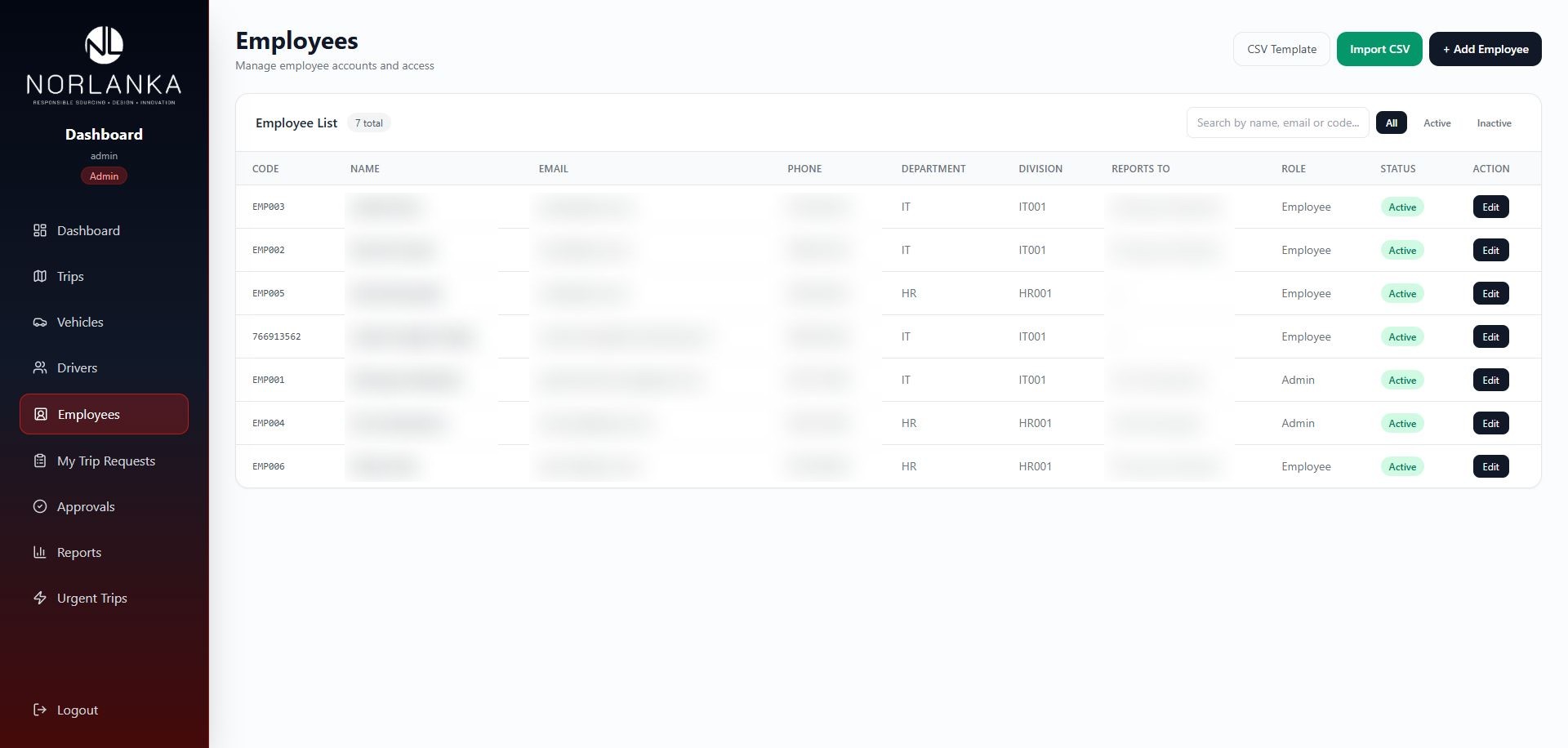
Employee, driver and vehicle management

Manage employee accounts with codes, departments, divisions, reporting lines and roles, with CSV template and bulk import, alongside dedicated sections for drivers, vehicles, urgent trips and reports.

NorLanka Transport Management System & Driver App – Dashboard with fleet stats and trip requests
Dashboard with fleet stats and trip requests
NorLanka Transport Management System & Driver App – Trip list with suggested vs actual cost
Trip list with suggested vs actual cost
NorLanka Transport Management System & Driver App – Trip details with cost calculation and route map
Trip details with cost calculation and route map
NorLanka Transport Management System & Driver App – New trip request form for employees
New trip request form for employees
NorLanka Transport Management System & Driver App – Employee management with CSV import
Employee management with CSV import
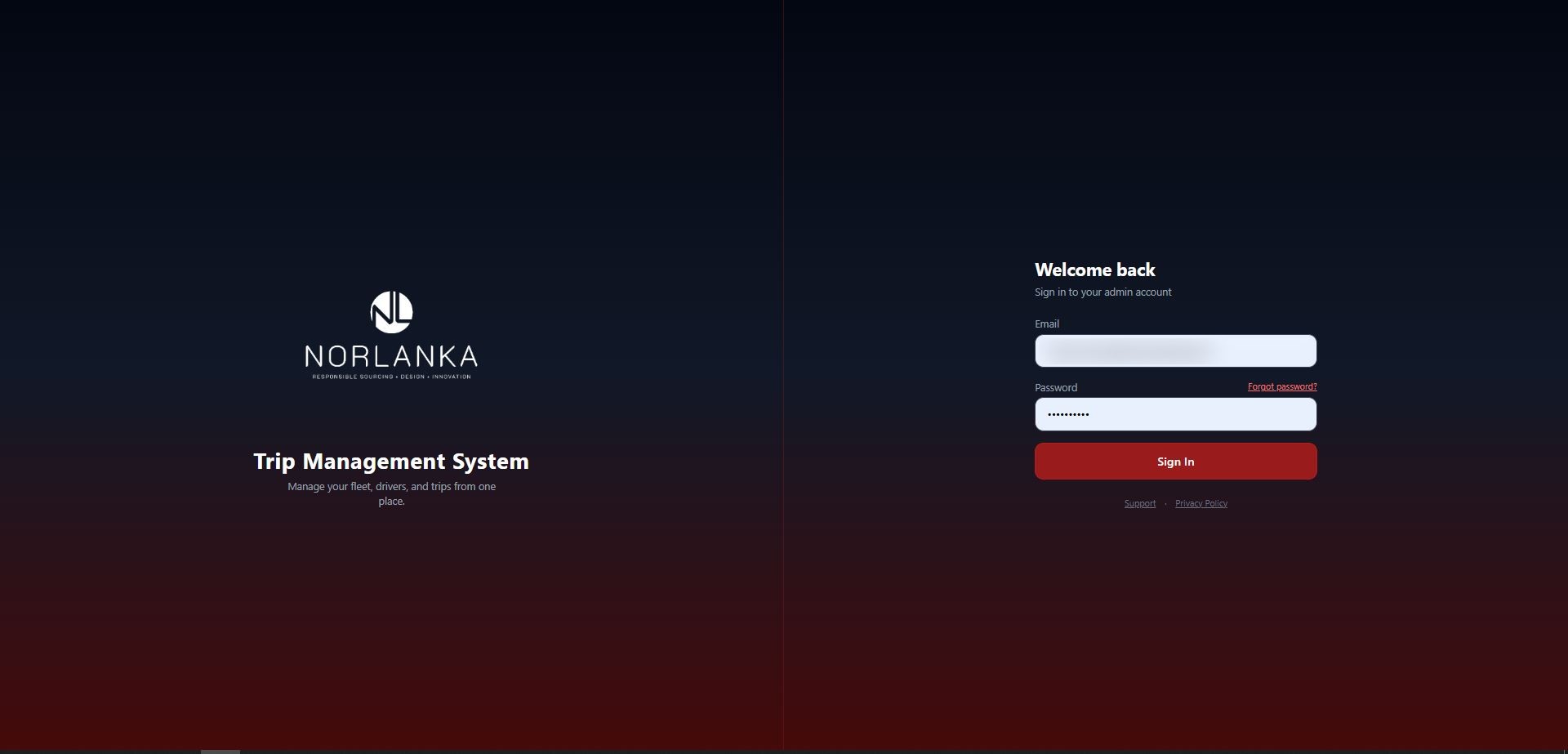
NorLanka Transport Management System & Driver App – Secure sign-in
Secure sign-in