← Back to Projects
Italy Client Driving Exam Learning Suite
Italy Client Driving Exam Learning Suite preview

Mobile Apps + LMS

Italy Client Driving Exam Learning Suite

A complete digital learning ecosystem for SL Teach: the SL Teach Patente mobile app for exam practice and a web-based online-class LMS, helping Sri Lankan students in Italy pass the Italian driving licence theory exam, with every question and lesson explained in Sinhala.

Timeline

18 Weeks

Stack

React Native, Web LMS, Node.js, API Integrations

Outcome

Improved student completion rates and faster exam readiness

Project Overview

SL Teach is an Italy-based education business that teaches the Italian driving licence (Patente B) theory course to the Sri Lankan community living in Italy. The official exam is set in Italian, with hundreds of true-or-false questions on road signs, rules of priority and vehicle safety. For students who are more comfortable in Sinhala, the language barrier, not the driving knowledge, is often what makes them fail.

Before this project, SL Teach ran classes, shared lesson videos and collected payments through a mix of messaging apps, bank slips and manual spreadsheets. As the student base grew across many class groups, it became hard to keep track of who had paid, who could access which month's material, and how each student was progressing.

FSGRID designed and built two products to solve this: the SL Teach Patente mobile app for daily, self-paced exam practice on the phone, and the SL Teach Online Classes LMS, a web platform used on PC that runs the online classes, content library, payments and student management. Together they let a learner attend and review classes on their computer and practise exam questions on their phone wherever they are.
Challenge

Students needed to practise thousands of exam questions written in Italian while understanding them in Sinhala. The teacher needed one place to run many class groups, publish monthly quizzes and videos, verify payments in euros, and control who can access which content, all without relying on scattered spreadsheets and chat groups.

Solution

FSGRID delivered the SL Teach Patente mobile app and a full web LMS with separate student and admin portals. Every question has a one-tap Sinhala translation, quizzes are organised by official exam topic with progress tracking, and the LMS handles monthly class content, card, Apple Pay, Google Pay and bank-slip payments, rankings, announcements and access control from a single admin dashboard.

At a Glance

  • Two products: the SL Teach Patente mobile app for exam practice, and the SL Teach Online Classes LMS, a web platform for running online classes.
  • Every exam question is shown in the original Italian with a one-tap Sinhala translation, so students learn the official wording while understanding its meaning.
  • Quizzes organised by official exam topic (Argomento), full mock exams, official ministerial sheets and a Review Mistakes mode.
  • Monthly class structure with quizzes and recorded videos released each week, plus access that unlocks month by month based on payment.
  • Flexible payments in euros: card, Apple Pay, Google Pay or uploading a bank-transfer receipt, with a full payment history for every student.
  • A powerful admin portal for class groups, students, payments, coupons, announcements, login activity, papers and access restrictions.

Product 01 · SL Teach Patente Mobile App

Exam practice in every student's pocket

The SL Teach Patente app is built for short, frequent practice sessions, whether on the bus, on a lunch break or right before the exam. It reproduces the format of the real Italian theory test, so students get used to the exact question style, and adds Sinhala support and smart revision tools on top.

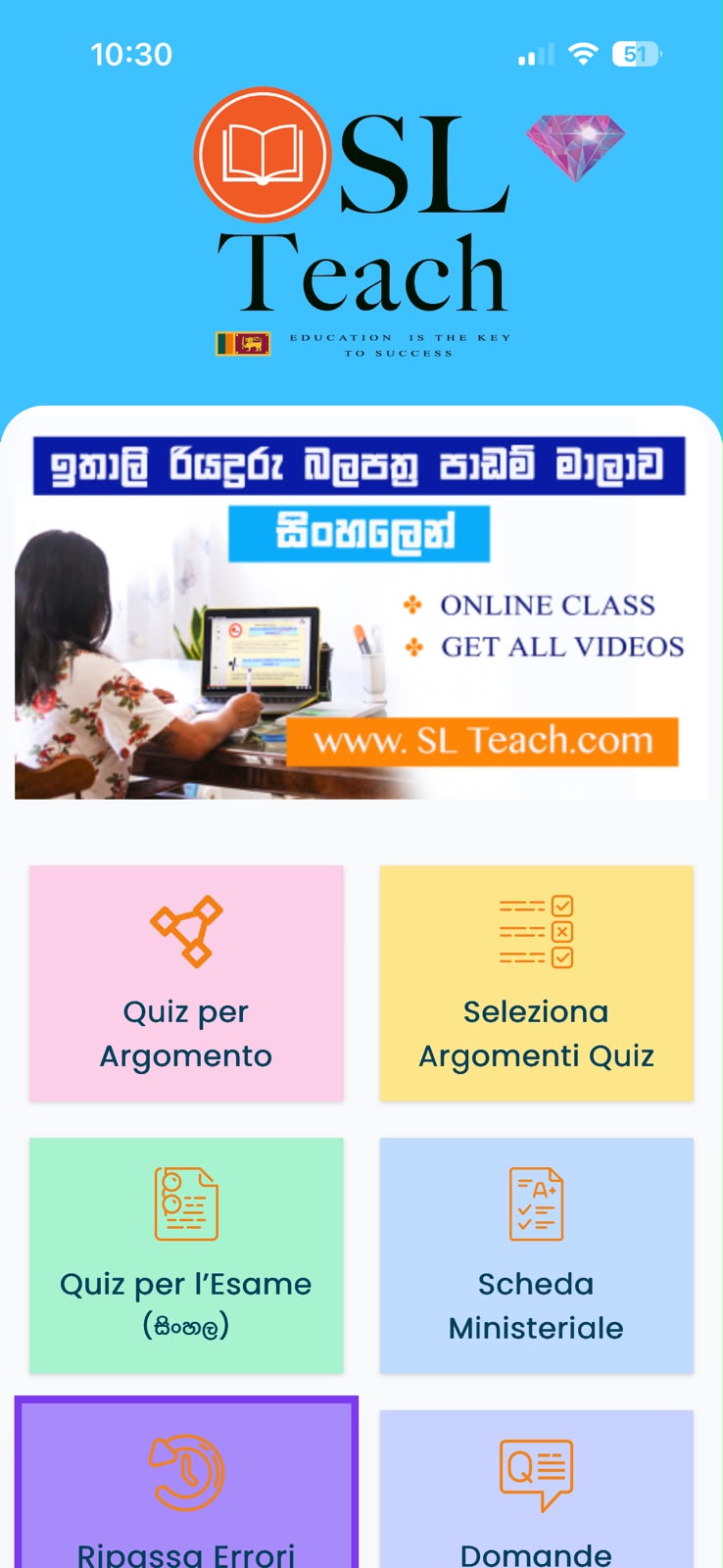
Colour-coded home menu

A clear tile-based home screen gives one-tap access to every practice mode: Quiz per Argomento, Seleziona Argomenti Quiz, Quiz per l'Esame (Sinhala), Scheda Ministeriale, Ripassa Errori and Domande, with a banner promoting the online classes and video library.

Italian questions, Sinhala understanding

Each question appears exactly as worded in the official exam, with a Sinhala button that instantly translates it. Students learn to recognise the Italian phrasing they will face on exam day without losing the meaning.

Topic-by-topic quizzes with progress rings

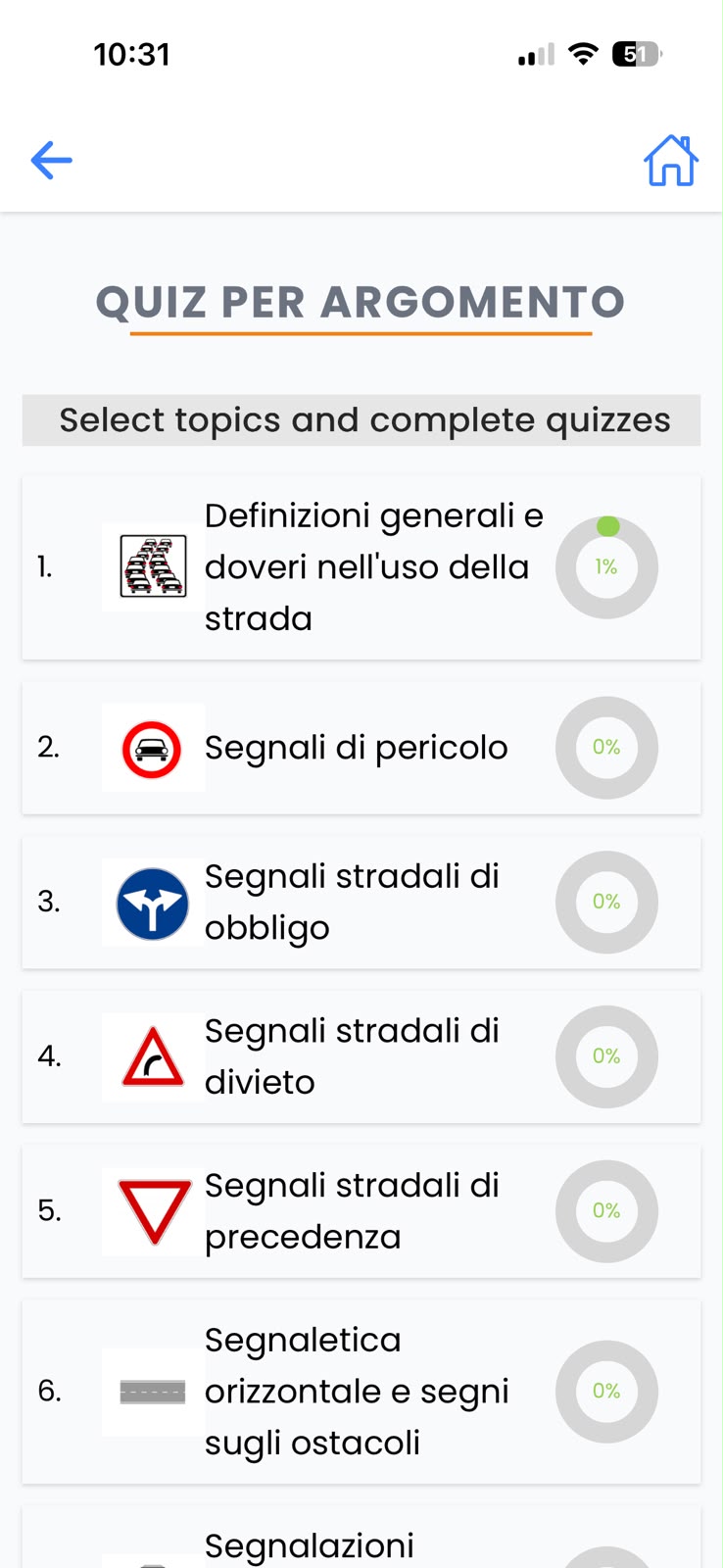
Questions are grouped into the official exam chapters, from general definitions and danger signs to obligation, prohibition and priority signs and road markings. Each chapter has its own icon and a live progress ring showing how much the student has completed.

Official ministerial exam sheets

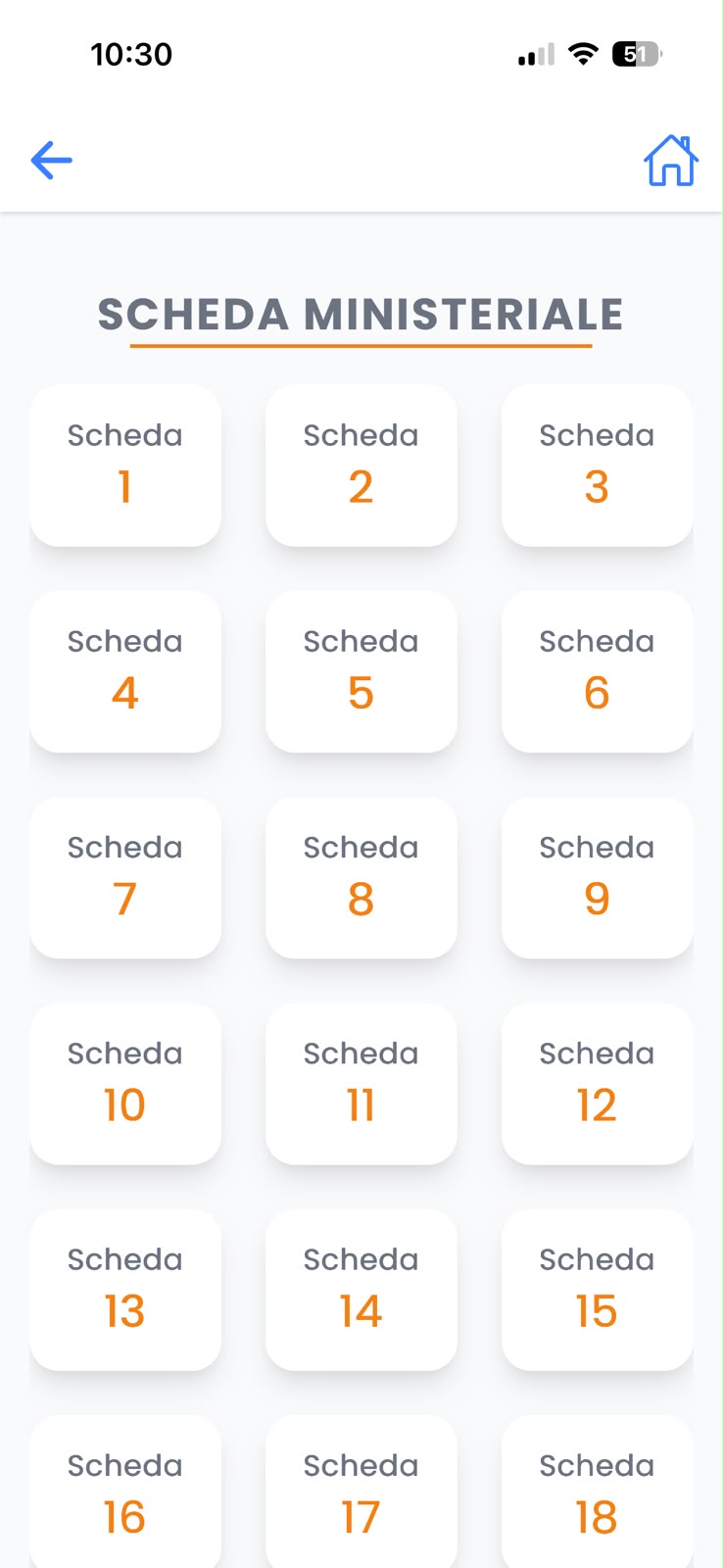
The Scheda Ministeriale section provides numbered, full-length practice sheets modelled on the real ministry exam, so students can run complete timed mock tests and judge whether they are ready.

Review Mistakes mode

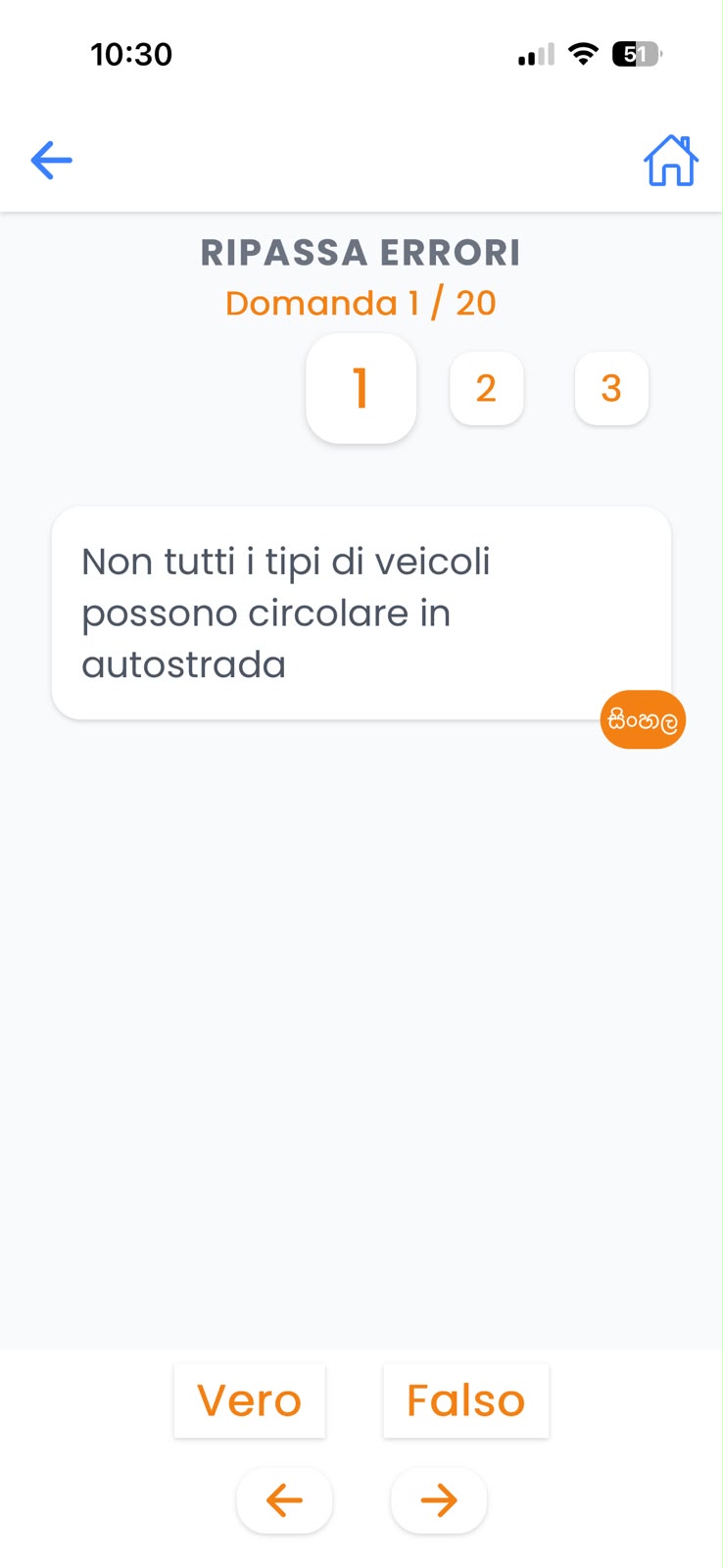
Every wrong answer is saved automatically. Ripassa Errori lets students replay only the questions they got wrong, one at a time with True/False buttons and next/previous navigation, so revision focuses on weak areas.

Simple, distraction-free quiz screen

Large Vero (true) and Falso (false) buttons, a question counter (e.g. 1 / 20), quick jump-to-question chips and persistent back and home controls make the app easy to use for learners of every age and comfort level with technology.

Italy Client Driving Exam Learning Suite – Home screen with practice modes
Home screen with practice modes
Italy Client Driving Exam Learning Suite – Topic quizzes with progress
Topic quizzes with progress
Italy Client Driving Exam Learning Suite – Review mistakes with Sinhala toggle
Review mistakes with Sinhala toggle
Italy Client Driving Exam Learning Suite – Official ministerial exam sheets
Official ministerial exam sheets

Product 02 · SL Teach Online Classes LMS (Web)

A full online-class platform for students and teachers

The SL Teach Online Classes LMS is a web platform used on PC, and it is where structured teaching happens. Students join a class group, follow weekly lessons and question papers, pay their monthly fees and track their standing, while the teacher manages the entire operation from one admin portal.

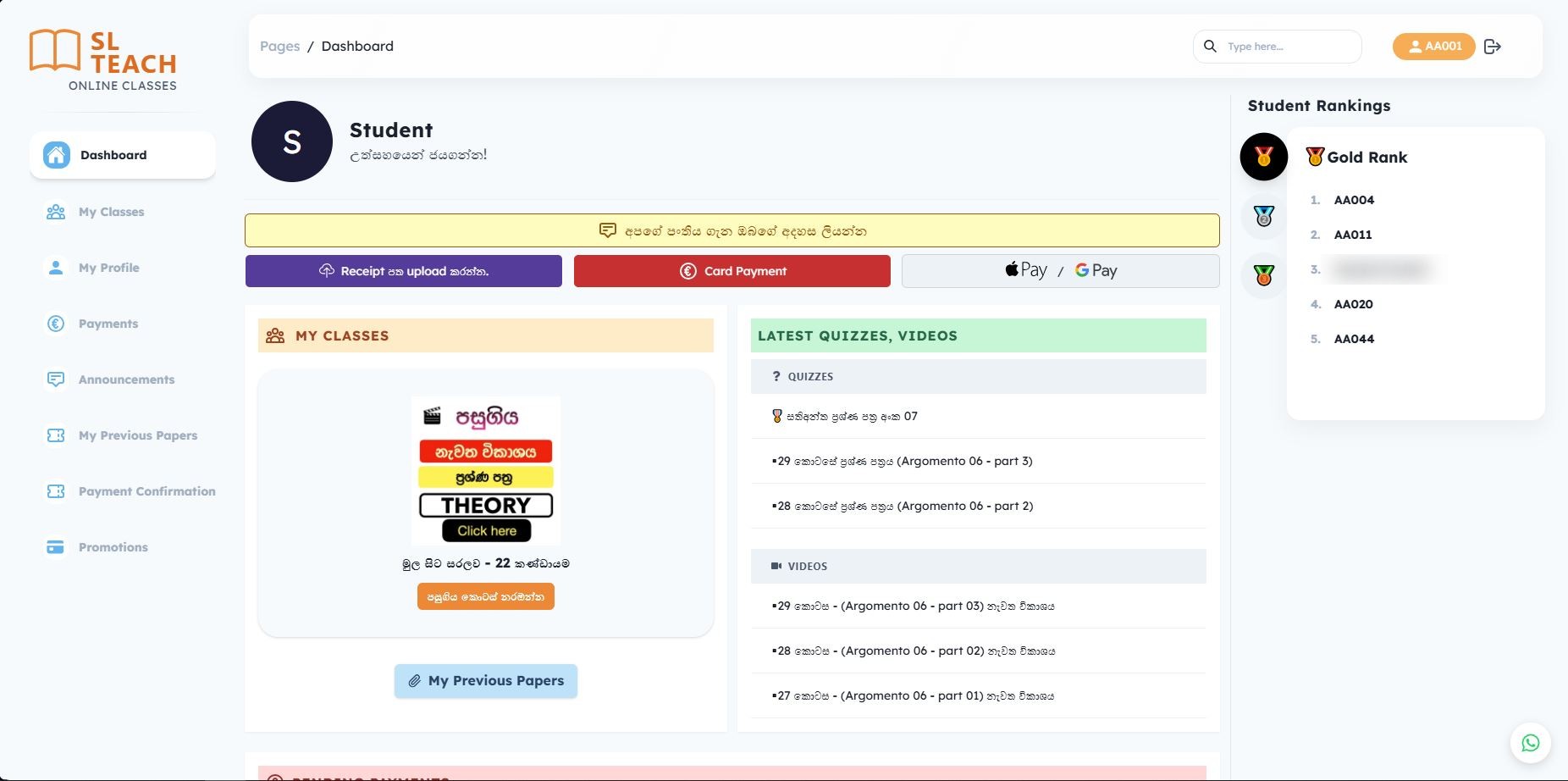
Student dashboard

After logging in, students see their enrolled class, the latest quizzes and videos, a link to previous papers, and a prompt to leave feedback about the class, all on a single welcoming screen.

Gamified student rankings

A Student Rankings panel with gold, silver and bronze medals highlights top performers by student ID, encouraging friendly competition and regular practice across the class.

Month-by-month class library

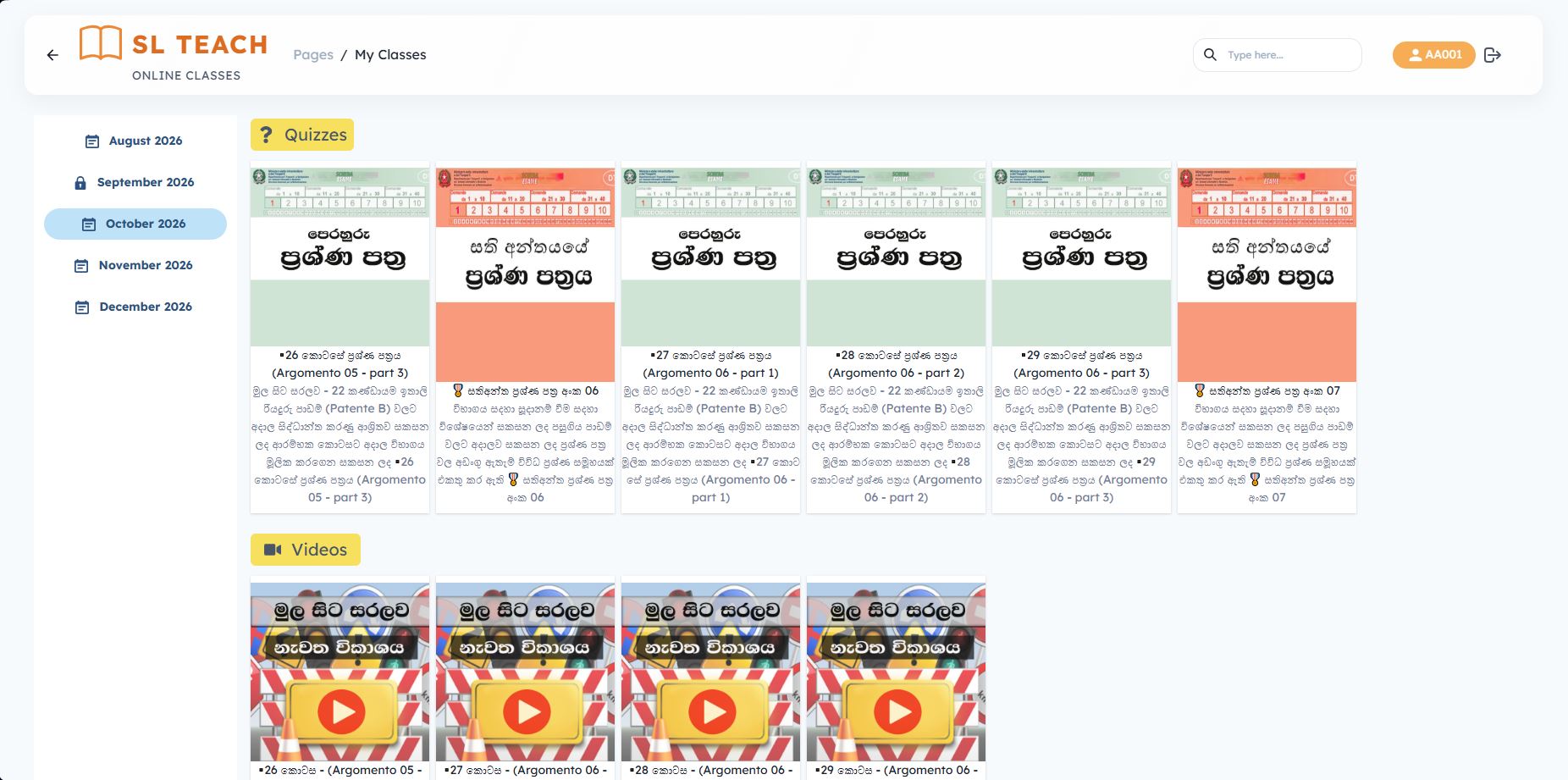
My Classes organises content by month. Each month holds weekly question papers (e.g. Argomento 06, parts 1–3), end-of-week papers and matching recorded video lessons. Months that are not yet paid for or released stay locked automatically.

Payments in euros, the way students prefer

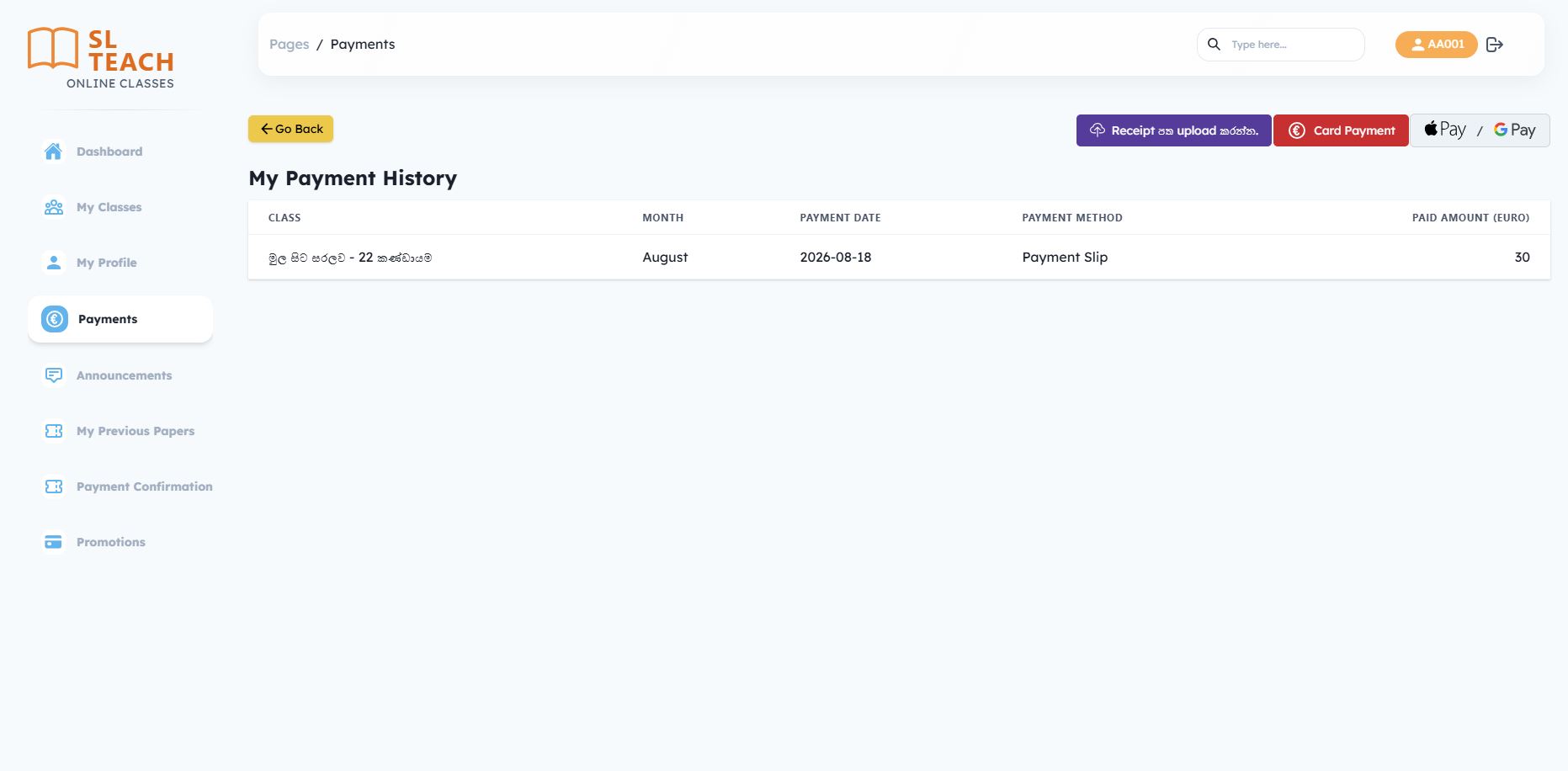
Students can pay by card, Apple Pay or Google Pay, or upload a photo of a bank-transfer receipt for the teacher to confirm. A My Payment History page lists each class, month, date, method and amount paid.

Admin portal for every class group

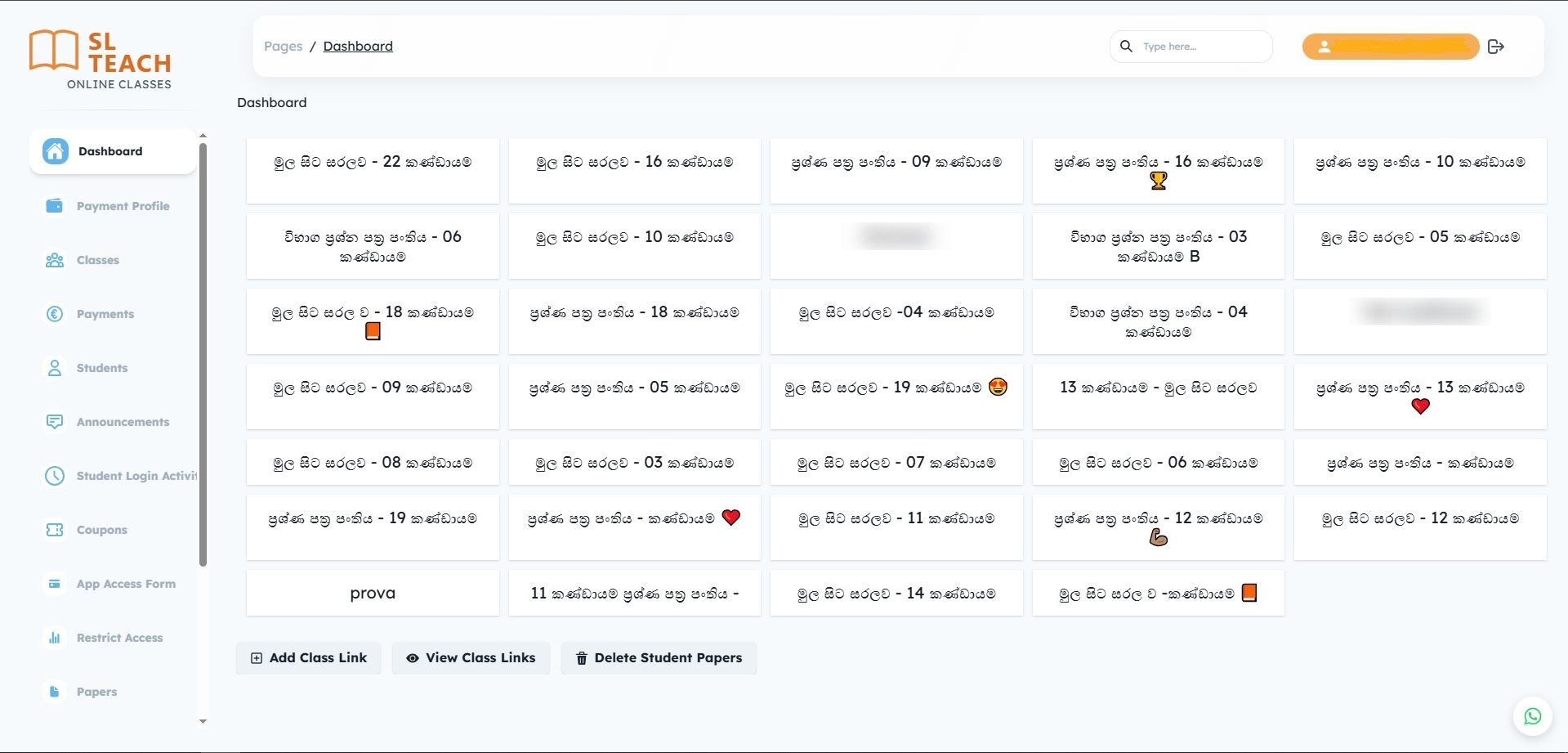
The admin dashboard shows every active class group, from beginner (from-scratch) courses to exam question-paper series, as tiles. The teacher can add and view live class links and clear old student papers in a click.

Complete operational control

Dedicated admin sections cover payment profiles, classes, payments, students, announcements, student login activity, coupons, an app access form, restricted access and papers, replacing the spreadsheets and chat threads the business used to depend on.

Italy Client Driving Exam Learning Suite – Student dashboard with rankings and latest content
Student dashboard with rankings and latest content
Italy Client Driving Exam Learning Suite – Monthly class library with quizzes and videos
Monthly class library with quizzes and videos
Italy Client Driving Exam Learning Suite – Payment options and payment history
Payment options and payment history
Italy Client Driving Exam Learning Suite – Admin dashboard with all class groups
Admin dashboard with all class groups

How We Built It

  1. 1

    Discovery with the teacher and students

    We mapped how classes, payments and content were being handled manually, studied the official exam structure, and spoke with students to understand where the language barrier hurt the most.

  2. 2

    Content and access model

    We designed a shared data model for topics, questions, translations, class groups, monthly content and payments, so access to classes and content stays consistent for every student.

  3. 3

    Mobile-first UX design

    We created simple, high-contrast screens with large tap targets and Sinhala labels where they help most, tested with real learners to keep the experience approachable.

  4. 4

    Build, integrate and launch

    We developed the SL Teach Patente app and the web LMS, integrated card and wallet payments, migrated existing class groups and students, and launched with ongoing support.

Learning Impact

Learners onboarded

3,500+

Mock tests completed

40,000+

Avg. completion lift

+37%